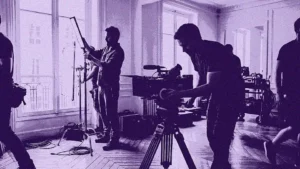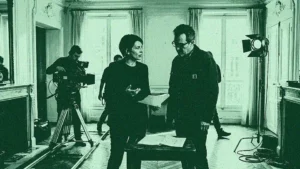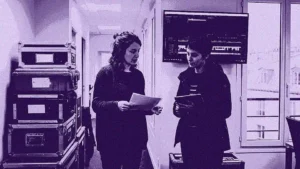

A single missed detail in a shooting day can cascade into cost overruns across an entire production. A production schedule template is the document that prevents this, outlining the day-to-day shooting plan so a team can manage time, resources and logistics efficiently and avoid the delays and miscommunication that drive budgets up [1]. This article explains what a production schedule template should contain, the core scheduling documents that surround it, and a step-by-step method to build one, with practical notes for both film shoots and live events.
What a production schedule template is
A production schedule template is a reusable framework that details which scenes and shots will be filmed on each shooting day, along with the resources, cast and crew required. It is a production document that outlines the day-to-day shooting plan to help the team manage time and logistics, and to prevent delays, confusion and miscommunication that can lead to cost overruns [1]. Rather than rebuilding the structure for every project, a template standardises the columns and sections a production needs every time.
The template typically grows out of a script breakdown and feeds directly into the daily call sheet. It sits at the heart of the work handled by the unit production manager and the first assistant director, who translate a script into an ordered, costed shooting plan.
What to include in the template
A well-organised production schedule template includes details about the cast and crew, special effects, locations and everything else associated with the production [5]. The most useful templates group this information into clear, scannable columns so that each department head can read their requirements at a glance.
The essential fields include the date and scene number, the estimated duration of each scene, and crew call and shoot call times that indicate when the crew must be on set versus when cameras are expected to roll [5]. Dedicated columns for wardrobe, art department, special effects and sound let each team scan the schedule and instantly know what is required of them. Special effects considerations, such as green-screen setups or separately shot elements, belong in the notes so nothing is improvised on the day.
| Field | What it captures | Why it matters |
|---|---|---|
| Date and day number | Calendar date and shoot day index | Anchors the schedule to the calendar |
| Scene and page count | Scene number and script eighths | Estimates the volume of work per day |
| Location | Set or location name, interior or exterior | Groups scenes to limit company moves |
| Day or night | Time of day in the story | Drives lighting and crew call timing |
| Estimated duration | Time allotted to shoot the scene | Keeps the day realistic and costed |
| Cast involved | Characters and performers needed | Feeds cast contracts and the DOOD |
| Crew call and shoot call | Arrival time versus camera-ready time | Coordinates every department |
| Department notes | Wardrobe, art, SFX, sound requirements | Prevents last-minute surprises |
Key scheduling documents: stripboard, one-line and DOOD
A production schedule template rarely works alone. It is part of a small family of documents that the assistant director uses together. The stripboard is the central one: a production document that organises scenes in shooting order using colour-coded strips, where each strip represents a scene from the script [2]. Historically built with physical cardboard strips, it is now usually handled in software that lets the team drag and drop scenes as changes arise.
From the stripboard, the team derives a one-line schedule, a condensed summary giving one line per scene, and a Day Out of Days (DOOD) report, which shows exactly which days each actor is working, on hold, or travelling across the whole production [3]. The DOOD is essential for managing cast contracts and payroll, since it determines how many days each performer is owed.
Software versus spreadsheet
Template options break down into two categories: dedicated scheduling software such as Movie Magic or similar tools, and spreadsheet templates, which are often the cheapest and fastest way to start [3]. Spreadsheets work well for short or simple projects, while purpose-built scheduling software handles reordering, cast tracking and last-minute changes far more reliably on larger productions.
How to build the schedule step by step
Building a production schedule from a template follows a logical order. The first step is the script breakdown: every scene is tagged for cast, location, props, wardrobe and special requirements. Those tagged scenes become the strips on the stripboard, which the assistant director then reorders to group scenes by location and by day or night, minimising costly company moves and lighting changes.
Next, the team assigns realistic durations to each day, accounting for production stops such as lunch, travel between locations and the wrap of each shooting day [4]. The schedule is then cross-checked against cast availability through the DOOD, against location permits, and against the budget. Because changes are constant, the final and ongoing step is distribution: the schedule must reach every department in a single, current version, which is where centralised production management software replaces the risk of conflicting spreadsheet copies.
Scheduling for shoots and live events
A production schedule template proves its value most clearly in the Media and Entertainment context, where dozens of people, vendors and locations have to align on a tight clock. The template is not an abstraction here; it is the difference between a Parisian shoot that wraps on time and one that bleeds overtime into the night.
Film and television shoots
On a feature or series shoot, the schedule groups scenes by location to limit the number of company moves through the city, sequences day and night work to suit lighting, and aligns crew calls across camera, grip, electric and sound. It also increasingly carries data that matters beyond logistics: crew travel, energy use on stages and supplier movements are exactly the figures a media group needs for environmental reporting under frameworks such as the CSRD. A schedule that captures who travels where, on which day, already holds much of that footprint data.
Live events and festivals
For festivals, concerts and corporate events, the same template logic governs load-in and load-out windows, the sequence of rigging and soundchecks, and the deployment of crews who often work short, intense shifts. There is rarely a second take at a live event, so the schedule and its real-time updates carry even more weight. Centralising availability, assignments and changes in one place removes the most common source of on-site failure.
This is where Ooviiz fits directly into the scheduling workflow. Ooviiz centralises the planning and coordination of crews for productions and events, replacing spreadsheets and informal messages with a dedicated platform: real-time availability, mission offers sent from the tool, and electronic contracts signed in the same interface. For a production manager maintaining a living schedule, that single source of truth is what keeps every department on the same current version.
Conclusion
A production schedule template turns a script into an ordered, costed and shareable shooting plan, capturing dates, scenes, durations, cast, crew calls and department notes in one scannable framework. It works alongside the stripboard, the one-line schedule and the Day Out of Days report, and it feeds directly into the daily call sheet. Whether built in a spreadsheet for a short project or in dedicated software for a complex production, the template earns its place by preventing the miscommunication that drives cost overruns. As productions and live events grow more complex, a centralised, real-time production schedule is fast becoming the baseline rather than the exception.
FAQ
What is a production schedule template?
What should a production schedule include?
What is a stripboard?
What is a Day Out of Days report?
Should I use a spreadsheet or software for scheduling?
Going further with TheGreenShot
A production schedule template only delivers its full value when every department works from the same current version, and that is exactly where a static spreadsheet starts to fail. Ooviiz centralises crew planning and coordination for productions and events on a single platform built for the rhythm of film, television and live work. It manages availability in real time, sends mission offers directly from the tool, and generates electronic contracts signed in the same interface, so a schedule change reaches everyone instantly instead of getting lost across conflicting copies. For a production manager maintaining a living schedule under constant pressure, that consolidation removes the most common source of on-set confusion. Teams curious about how it fits their workflow can explore a tailored walkthrough of the platform.
Our carbon experts help production studios frame strategy, train teams and track results, tailored to operational constraints.