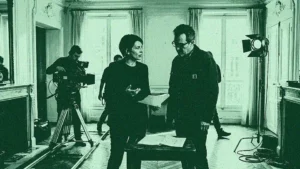

A single scheduling error on a feature can cost a production a full shoot day and thousands in idle cast fees. The day out of days schedule exists to prevent exactly that. Often shortened to DOOD, it is a grid that logs the working status of every principal cast member across every day of the shoot [1]. Derived directly from the shooting schedule, it becomes the reference document that the first assistant director, the line producer and the payroll office all rely on. This guide explains what the report contains, how to read its status codes and how to build a day out of days schedule that holds up when the plan changes.
What a day out of days schedule actually shows
At its core, the report is a matrix. Cast members are listed down the left-hand column, usually numbered in order of story importance so that the lead is character one. The shooting days run across the top, and every cell records what a given actor is doing on a given day [1]. The value of the document is that it turns a long, scene-by-scene production schedule into a compact view of who is needed, when, and for how long.
A well-built report does more than track speaking roles. It can also follow background performers, stunts, vehicles, animals, special equipment and any breakdown element that recurs across the schedule [2]. Because it is generated from the stripboard rather than typed by hand, the DOOD stays consistent with the plan that feeds the daily call sheet. When the order of scenes shifts, every downstream document that depends on cast availability has to shift with it.
Reading the DOOD codes: SWF, SW, WF and beyond
The report communicates through a compact set of letter codes. Each code tells the production whether an actor is starting, working, held, travelling or finished on a particular day [4]. Learning to read a day out of days schedule means learning this shorthand, because the codes also determine how long an actor is under contract and therefore how much the production pays.
| Code | Meaning | What it signals |
|---|---|---|
| S | Start | The actor’s first paid day on the production. |
| W | Work | A standard working day between start and finish. |
| F | Finish | The actor’s last paid day. |
| SW | Start Work | The actor begins and continues later in the schedule. |
| WF | Work Finish | The actor works and wraps on the same day. |
| SWF | Start Work Finish | The actor starts, works and finishes in a single day. |
| H | Hold | The actor does not work but is still paid and reserved. |
| WD | Work Drop | Final work day before a hiatus of a set number of days. |
| PW | Pickup Work | First work day after a drop period. |
| T | Travel | The actor is travelling to or from location. |
| R | Rehearsal | A scheduled rehearsal day. |
| I | Idle | A non-working day that does not end the contract. |
The combined codes matter most for cost control. A hold day is unproductive but still billable, so a schedule that scatters an actor’s work across distant days can generate long strings of expensive holds [4]. The drop and pickup mechanism, where an actor is released for a minimum number of consecutive days and later recalled, exists precisely to avoid paying for that idle time when a contract allows it [5].
How to build a day out of days schedule step by step
The first rule is that a day out of days schedule cannot exist before the shooting schedule is locked. Every scene must sit on a specific day with a defined cast list, because the report is a summary of decisions already made [1]. Building it on an unstable plan simply guarantees rework.
The typical workflow follows a clear sequence. First, complete the script breakdown so that each scene lists its cast and elements. Second, order the scenes into a shooting schedule that respects locations, availability and continuity, then feed that plan into the daily call sheet. Third, create one row per speaking role and number the characters. Fourth, walk each character across the days and assign the correct code, marking the start, the working days, any holds and the finish [7]. Fifth, review the totals so that the count of work days, hold days and travel days per actor is visible at a glance.
Most productions build the report either in a spreadsheet or, more commonly, straight out of scheduling software such as Movie Magic Scheduling [3]. The software approach is now the norm because the report is regenerated automatically from the stripboard. When the first assistant director moves a scene, the tool recalculates every actor’s status, so the DOOD never drifts out of sync with the plan [6]. Teams comparing options can review dedicated crew scheduling software to see how this automation is handled.
Why the DOOD drives payroll, budgeting and cast deals
The report is not an administrative afterthought. It is the definitive reference for cast scheduling, payroll and deal negotiations [1]. Because each code implies a paid or unpaid status, the totals feed directly into what a production owes each performer. A change that adds three hold days to a lead can move the budget by a meaningful amount, which is why producers read the DOOD before they lock a plan.
The document also shapes negotiation. When an agent and a line producer discuss a deal, the day out of days schedule shows exactly how many days the role spans and whether those days are contiguous or broken by holds [2]. A tighter grouping of an actor’s days lowers cost and often suits the performer, so scheduling and negotiation feed each other. The report therefore sits at the intersection of call sheet software, payroll and finance rather than in any single department.
The DOOD in the production office and on live events
On a working film or television set, the day out of days schedule lives in the production office and is owned by the first assistant director, who generates and updates it as the plan evolves [1]. In practice, its accuracy depends on how well cast availability, location bookings and the shooting order stay aligned. A production coordinator who spots that a supporting actor sits on five hold days between two work blocks can flag a re-sequencing that saves both money and the performer’s patience. The report only delivers this value when it is regenerated the moment the schedule moves, which is why manual spreadsheets tend to fail on larger shoots where scenes are rearranged daily.
The same logic extends to live events. A festival, a concert tour or a multi-day corporate production juggles talent, presenters, technicians and crew whose presence is needed only on specific days. Mapping each contributor’s start, working days, travel and wrap across the run mirrors exactly what a DOOD does for a film cast, and it exposes the same idle-time and travel costs. Event teams that centralise this view avoid double-booking a specialist across two stages or paying for standby days that a tighter plan would remove. TheGreenshot documents this approach for production scheduling on live events.
Ooviiz centralises the planning and coordination of cast and crew for productions and events, replacing scattered spreadsheets and informal messages with a single platform. It keeps availability, mission offers and contracts in one place, so a day out of days view stays accurate as the schedule changes. Discover Ooviiz
Conclusion
A day out of days schedule turns a locked shooting plan into a clear map of who is needed on every day of the shoot, and it does so in a shorthand that payroll, production and finance all read the same way. Mastering the codes, building the grid only once the plan is stable and letting software regenerate it as scenes move are what keep the report reliable. As productions and events grow more complex, the teams that treat the DOOD as a live document rather than a static file are the ones that protect both their budget and their cast relationships. The next step for most productions is connecting the report to the tools that generate the schedule and the call sheet, so a single change updates everything at once.
FAQ
What does a day out of days schedule mean in film production?
What do the codes SWF, SW and WF mean?
Who creates the DOOD report?
Why does a hold day matter on a DOOD?
Can a DOOD be built in a spreadsheet?
Going further with TheGreenshot
Building a reliable day out of days schedule is really a question of keeping cast availability, the shooting order and every downstream document in sync as the plan evolves. Ooviiz, the crew planning platform from TheGreenshot, was built for exactly this coordination work. It centralises a talent database, checks availability in real time, sends mission offers and handles electronic contracts inside one interface, so a scheduling change no longer means re-typing spreadsheets and chasing confirmations by message. For productions and events that juggle dozens of contributors across many days, that single source of truth is what keeps a DOOD accurate and the budget under control. Teams curious to see how this works on their own slate can explore the platform through a short guided walkthrough.
Our carbon experts help production studios frame strategy, train teams and track results, tailored to operational constraints.