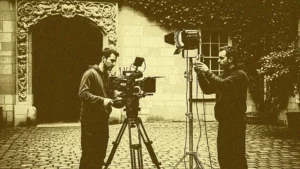

A single overloaded shoot day can unravel an entire production budget. A solid shooting schedule template is the difference between a set that flows and one that burns daylight, overtime and goodwill. Most productions aim for four to seven script pages per shooting day [2], and hitting that target consistently depends on how the schedule is built long before the first slate. This guide breaks down what a shooting schedule template contains, how to build one step by step, and the mistakes that quietly derail even experienced teams. A ready-to-use structure and free download are covered along the way.
What a shooting schedule is and why it matters
A shooting schedule is the ordered plan that turns a script into a day-by-day filming roadmap. It captures which scenes are shot on which day, in what location, with which cast and crew, and in what order. Rather than following the story chronologically, a schedule groups scenes for efficiency: all scenes at one location together, or all of an actor’s scenes in a single block [1]. This grouping is what keeps a production affordable.
Two documents sit at the heart of professional scheduling. The stripboard is a visual board where each scene becomes a coloured strip that can be reordered into shooting days [5]. The Day Out of Days report tracks exactly which days each actor works, holds or travels, which is essential for managing cast contracts and payroll [3]. Together they answer the who, what, when and where of a production. A clear schedule also feeds directly into the daily call sheet that every crew member receives, keeping the whole team aligned.
What to include in a shooting schedule template
An effective shooting schedule template starts with a script breakdown: reading the script closely and tagging every cast member, prop, location, wardrobe item, stunt and effect so each department can see what a scene requires [2]. Once the breakdown exists, the template organises that information into scannable columns.
The core columns of a shooting schedule template are the backbone of the document. A well-designed production schedule template turns a script into an ordered, costed and shareable plan that any head of department can read at a glance.
| Column | What it captures | Why it matters |
|---|---|---|
| Shoot day and date | The production day number and calendar date | Anchors every other element to a real timeline |
| Scene number | Reference to the script breakdown | Links the schedule back to the script and stripboard |
| Interior or exterior, day or night | The lighting and location condition | Drives grouping and turnaround planning |
| Location | Where the scene is filmed | Groups scenes to cut company moves |
| Cast | Characters and performers required | Feeds the Day Out of Days report |
| Page count | Script pages, in eighths | Estimates the daily workload |
| Estimated timing | Setup, shooting and wrap time | Prevents overloaded days |
| Department notes | Props, SFX, stunts, wardrobe, vehicles | Warns each department in advance |
| Call and wrap times | When each unit starts and finishes | Protects legal turnaround |
Core fields such as shoot day, date, scene number, location and cast form the minimum viable template, and advanced fields including page count, estimated timing and departmental notes turn it into a working production tool [1]. For larger shoots, the schedule connects to a broader production resource planning framework that maps equipment, vehicles and crew availability across the whole shoot.
How to build a shooting schedule step by step
Building a shooting schedule follows a repeatable sequence. Each step depends on the one before it, so working in order prevents costly rework.
Step 1: Break down the script
Read the full script several times and tag every element each scene needs. This breakdown is the raw material for every strip and every column that follows [2].
Step 2: Set a realistic daily page count
Choosing how many script pages to shoot per day is the first true scheduling decision. Simple dialogue can run to eight or ten pages, standard drama around five, and action or stunt-heavy days drop to two or three [1].
Step 3: Create and order the strips
Turn each scene into a strip, then arrange the strips into shooting days on the stripboard. Group by location, by cast block, or by lighting condition so the company shoots efficiently rather than in story order [5].
Step 4: Add day breaks and sequence the workload
Insert day breaks to divide the board, then review each day for page count, cast, company moves and overall workload. Complex or emotionally demanding scenes belong early in the day and early in the shoot, while the crew is fresh and buffer time remains [4].
Step 5: Generate the Day Out of Days report
Once the days are set, produce the Day Out of Days report to confirm actor work, hold and travel days line up with contracts and budget [3]. From there, the schedule flows into each daily call sheet with exact call times and locations.
Common shooting schedule mistakes to avoid
Even a well-structured template fails when the same avoidable errors creep in. Overloading shoot days by packing too many pages into a single day sets the crew up to fail from the start, so realism about setup times, meal breaks and scene complexity is essential [4]. A recognised safeguard is padding each day with roughly a fifteen percent time buffer to absorb a dead battery or a missing prop [4].
Turnaround time is another frequent trap: union crew are typically entitled to a twelve-hour turnaround between wrap and the next call, which shapes how day and night shoots can sit next to each other. Company moves are routinely underestimated, and every move between locations needs its own buffer for packing and reloading gear. Outdoor days demand weather contingencies, meaning backup dates or alternative interior scenes that can be filmed if conditions turn. Finally, call sheet details that feel obvious, such as parking, access restrictions or early departmental calls, are often left out and cause avoidable confusion on the day [6].
Scheduling on real productions and events
On a working film set, a shooting schedule is never a static document. Locations fall through, an actor’s availability shifts, and a weather call forces an overnight rewrite of the next three days. The schedule has to travel with the production and update in real time, which is where spreadsheet-based templates start to strain. A change made in one file rarely reaches every department at once, and the gap between the master schedule and the version a gaffer or a first assistant director is actually holding is where errors live.
Live events face the same pressure in a compressed frame. A festival or a corporate shoot juggles crew calls, supplier arrivals, rigging windows and load-out across a single site, often with a crew assembled from freelancers who each need the right call time and the right contract. Coordinating that by email and spreadsheet invites double-bookings and missed availability. Purpose-built crew scheduling software keeps the plan and the people in sync, and connects the schedule to a wider crew management workflow so availability, offers and contracts live in one place.
Ooviiz centralises the planning and coordination of crews for productions and events, replacing spreadsheets and informal exchanges with a dedicated platform: a centralised talent database, real-time availability checks, direct mission offers and electronic contract signatures in a single interface. Discover Ooviiz.
Conclusion
A shooting schedule template is far more than a grid of dates. It is the operational spine that translates a script into achievable shooting days, protects the budget through smart grouping, and keeps every department reading from the same page. The strongest schedules pair a clear structure, breakdown, strips, day breaks and a Day Out of Days report, with realistic page counts and honest buffers for turnaround, company moves and weather. As productions grow more distributed and timelines tighten, the shooting schedule is increasingly a living, shared tool rather than a printout, and the teams that treat it that way keep their sets calm, compliant and on budget.
FAQ
What is a shooting schedule template?
How many pages should be shot per day?
What is the difference between a stripboard and a Day Out of Days report?
How much buffer time should a shooting schedule include?
What tools are used to build a shooting schedule?
Going further with TheGreenshot
Building a shooting schedule template is only the first step: the harder part is keeping that plan alive as an entire crew works from it across changing locations and dates. Ooviiz, the crew planning platform from TheGreenshot, centralises exactly this coordination for productions and events. It replaces scattered spreadsheets and informal messages with a single talent database, real-time availability checks and direct mission offers, then generates and signs crew contracts electronically without leaving the interface. Assistant directors and production coordinators keep the schedule and the people in sync as changes happen, rather than chasing versions by email. Teams that outgrow static templates find that a dedicated platform turns scheduling into a shared, always-current source of truth for the whole shoot.
Our carbon experts help production studios frame strategy, train teams and track results, tailored to operational constraints.