
Choosing the right event staffing management platform has become one of the most consequential operational decisions an event agency can make. Modern platforms automate scheduling, streamline communication, and simplify payroll into a single system [2], replacing the patchwork of spreadsheets, group chats, and email chains that most teams still rely on. As event volume grows, those manual methods break down quickly [1]. This article explains what an event staffing management platform is, which features matter, and how to evaluate options against the way staffing businesses actually operate.
What an event staffing management platform actually does
An event staffing management platform centralises the entire lifecycle of temporary and freelance labour: building a talent database, matching people to shifts, communicating with the crew, tracking attendance, and exporting hours to payroll. Purpose-built software is designed specifically for the volatility of live events, where rosters shift up to the last minute [1]. Rather than juggling disconnected tools, managers run shift planning, workforce coordination, and messaging from one interface [3].
The value is operational rather than cosmetic. A single view of open positions and crew availability lets a coordinator fill jobs and absorb last-minute changes without re-checking three different documents [4]. For agencies that staff dozens of events at once, that consolidation is the difference between a controlled operation and constant firefighting. Teams evaluating this category often start by comparing it to adjacent tooling such as crew scheduling software for film and TV, which shares much of the same logic.
The core features that separate a real platform from a spreadsheet
Not every tool marketed as staffing software delivers the same depth. A credible event staffing management platform covers a consistent set of capabilities that reflect how events run in practice.
Skill-based scheduling and shift matching
Events require bartenders, servers, security professionals, AV technicians, and brand ambassadors, each with specific certifications and experience [2]. Advanced scheduling engines automatically match staff to shifts based on skills and availability, while workflow automation triggers approvals and notifications to cut manual busywork [3]. The best security-focused tools filter staff by qualification, ensuring only licensed professionals are assigned [1].
Mobile-first communication
Staff need schedules, updates, and messaging directly on their phones [1]. Automated shift invitations, reminders, and confirmations sent by SMS or push notification cut no-show rates sharply compared with email-only tools [2]. Instant messaging lets managers push changes and keep everyone aligned in real time [1].
Attendance, check-in, and payroll export
Mobile check-in by QR code or phone, live attendance tracking, and clean hour exports to payroll close the loop between who worked and who gets paid [2]. The most advanced platforms connect scheduling data directly to contract generation and payroll processing, so a booked shift can automatically draft a contract for electronic signature [4].
Integrations and compliance
A capable platform connects with payroll, CRM, and HR systems such as accounting and finance tools [1]. Compliance is non-negotiable: qualification filtering and audit-ready records protect the agency when regulators or clients ask questions [1]. Teams that also handle screen work often compare requirements against a film production management platform to keep tooling coherent.
How to evaluate an event staffing management platform
Agencies that consistently deliver assess platforms against operational pillars that reflect how staffing businesses actually work, not how generic software is marketed [1]. A platform that performs across all of them is far more likely to reduce operational strain and scale with the agency.
| Evaluation pillar | Question to ask | Why it matters |
|---|---|---|
| Scheduling depth | Does it automate role-based assignment and last-minute swaps? | Manual rescheduling collapses at high event volume [1]. |
| Mobile experience | Can staff self-serve schedules and confirmations from a phone? | Real-time coordination reduces no-shows [2]. |
| Communication | Are SMS and push notifications native? | Email-only tools drive higher no-show rates [2]. |
| Compliance | Does it filter by certification and keep audit records? | Licensed-only assignment protects the agency [1]. |
| Integrations | Does it export to payroll, CRM, and finance tools? | Disconnected data creates double entry and errors [1]. |
| Contracts and pay | Does booking trigger contracts and payroll? | Automation removes the slowest manual step [4]. |
| Scalability | Does it hold up across many simultaneous events? | Spreadsheets break as volume grows [1]. |
A practical evaluation also weighs onboarding effort, support quality, and how quickly a talent pool can be migrated. Reviewing an adjacent guide to production scheduling software for live events helps calibrate expectations before demos begin.
Common pitfalls when selecting a platform
The most frequent mistake is choosing a generic scheduling tool that was never designed for event volatility. Many agencies still rely on spreadsheets, messaging apps, and disconnected tools that work at small scale but fail as event volume increases [1]. A second pitfall is underestimating communication: a platform without native SMS or push messaging quietly raises no-show rates [2]. A third is ignoring integrations, which forces double data entry and reintroduces the errors the platform was meant to remove [1]. Selecting for the busiest week of the season, not the quietest, keeps the decision honest [5].
Event staffing platforms for productions and live events
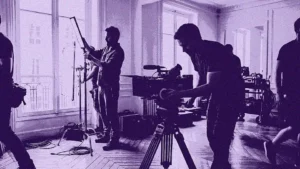
The staffing challenge is sharpest in media, entertainment, and live events, where crews are large, freelance, and assembled fast. On a shoot or an event build, coordinators manage overlapping departments, shifting availability, and constant last-minute changes [4].
Live events and venues
Festivals, concerts, and corporate events rely on rosters of temporary staff who must be matched to roles by skill and certification, briefed on site, and checked in accurately [3]. Platforms built for stadiums, venues, and staffing agencies fill roles, manage schedules, and keep the crew connected across a single event or a full season [5]. Native mobile communication is decisive when a call time moves or a section is short-staffed an hour before doors open [2].
Productions and screen crews
Film and television productions face the same volatility with added complexity: a single location change can force the rescheduling of many crew members across several departments within hours. Purpose-built coordination tools replace spreadsheets with a central talent database and real-time planning, and can cut planning time dramatically for production teams. Guides to call sheet software for film and TV and broader movie production management show how staffing sits inside the wider production workflow.
Ooviiz centralises planning and crew coordination for productions and events, replacing spreadsheets and informal messaging with a dedicated platform. Discover Ooviiz
Conclusion
The right event staffing management platform turns a fragmented, spreadsheet-driven operation into a coordinated system where scheduling, communication, compliance, and payroll connect. The strongest choice is not the tool with the longest feature list but the one that performs across the operational pillars that matter to the agency: skill-based scheduling, mobile communication, compliance filtering, and clean integrations [1]. As events grow more complex and freelance labour becomes the norm, purpose-built platforms will keep separating agencies that scale smoothly from those that stall on manual coordination.
FAQ
What is an event staffing management platform?
Which features matter most when choosing event staffing software?
Why not just use spreadsheets to manage event staff?
How does an event staffing platform reduce no-shows?
Is event staffing software suitable for freelance and temporary crews?
Going further with TheGreenshot
Choosing an event staffing management platform is ultimately about coordination: matching the right people to the right shifts and keeping everyone aligned as plans change. Ooviiz, the crew planning tool from TheGreenshot, was built for exactly this challenge in productions and live events. It brings a centralised talent database, real-time interactive scheduling, a mobile communication app for crews, and electronic contract signature into one platform, replacing spreadsheets and scattered messages. Teams can see availability at a glance, fill open roles in seconds, and export clean data to payroll without re-keying information. For agencies that manage large freelance rosters across many events, that shift from manual coordination to a dedicated system is where reliability and scale begin. A short walkthrough is the fastest way to see how it fits an existing workflow.
Our carbon experts help production studios frame strategy, train teams and track results, tailored to operational constraints.