A single missed load-in slot can cascade into overtime, idle crew and a delayed doors time. That risk is exactly why production scheduling software for live events has become central to how festivals, concerts and corporate shows are run. As the global live entertainment market is projected to grow from around 203 billion to 270 billion dollars by the end of the decade, at a compound annual rate of 5.9 percent [1], event teams are managing more shows, tighter turnarounds and larger crews than ever. Spreadsheets and group chats no longer keep pace. This guide explains what production scheduling software for live events actually covers, the features that matter, and how production managers can select a platform that fits real operational constraints.
What production scheduling software does for live events
Production scheduling software for live events centralises the moving parts of an event into one coordinated timeline: crew shifts, equipment, vendors, venue access and the run of show. Instead of reconciling several documents by hand, a production manager works from a single source of truth that every department can see. Specialised platforms are built around how event teams actually plan, combining schedule visibility, crew rostering and gear tracking in one place [2].
The core value is coordination under time pressure. Live events run to fixed, immovable deadlines: the doors open whether the stage is ready or not. Software that shows what is next, what is due and what is on the horizon lets teams anticipate bottlenecks rather than react to them [3]. For teams that also manage touring or multi-day builds, a shared timeline replaces the fragile chain of forwarded emails that so often breaks down on site. Many productions pair scheduling with a dedicated crew scheduling system so that availability and shift assignments stay synchronised.
Core features to look for
Not every tool labelled as production scheduling software fits live events. The strongest platforms combine several capabilities that map to the realities of load-in, show and load-out.
Crew scheduling and availability
The ability to see who is available, assign shifts in bulk and track roster changes in real time is the backbone of any event platform. Good systems surface availability at a glance and prevent double-booking across concurrent shows [2]. This matters most for teams that rotate freelance technicians between venues.
Equipment and inventory tracking
Events depend on gear that is owned, rented or borrowed. Scheduling tools that track inventory alongside the timeline prevent the classic failure of a crew arriving without the console or rigging they were promised [3].
Run of show and timeline visibility
A minute-by-minute run of show, visible to every department, keeps sound, lighting, stage and front of house aligned. The best platforms let teams see dependencies so a slipped rigging call is flagged before it delays the sound check.
Mobile access and real-time updates
On site, laptops give way to phones. Mobile apps that let crews receive assignments, log completed work and get schedule changes instantly are now standard in event operations software [4].
Integrations
Scheduling rarely lives alone. Connections to CRM, payroll and contract tools reduce the manual re-entry that introduces errors. Teams that also build a structured production schedule benefit when the template and the live tool share the same data.
| Capability | What it solves | Why it matters for live events |
|---|---|---|
| Crew scheduling | Shift assignment and availability | Prevents double-booking across concurrent shows |
| Inventory tracking | Gear ownership and rentals | Ensures equipment matches the call |
| Run of show | Minute-by-minute timeline | Keeps departments aligned to doors time |
| Mobile app | On-site updates | Field teams work from phones, not laptops |
| Integrations | CRM, payroll, contracts | Removes manual re-entry and errors |
| Notifications | Change alerts | Slippage is flagged before it cascades |
How to choose the right platform
Selecting production scheduling software for live events starts with mapping the workflow, not the feature list. A production manager should first document how a show currently moves from advance to load-out, then identify where information breaks down. The right platform closes those specific gaps.
Scale is the next filter. A single-venue promoter has different needs from a touring production company juggling overlapping builds. Buyers reviewing options on comparison directories should weigh ease of use against depth, since an over-featured tool that crews refuse to adopt delivers nothing [4]. Adoption is the real test: the schedule only works if every department keeps it current.
Budget and integration depth complete the picture. Teams already using a crew management platform should confirm the scheduler connects cleanly, and those handling freelance labour should check how the tool feeds payroll and contracts. A short pilot on one real show reveals far more than a sales demo.
Common mistakes and how to avoid them
The most frequent error is treating software as a replacement for process rather than a support for it. A scheduling tool cannot fix an undefined workflow: teams that digitise a chaotic process simply get faster chaos. Defining roles, dependencies and a clear run of show first is what makes the software effective.
A second mistake is fragmenting information across tools that do not talk to each other. When crew sits in one app, gear in another and the run of show in a third, the single source of truth is lost. Choosing a platform that consolidates these, or that integrates tightly, avoids the reconciliation work that eats a coordinator’s day. Finally, skipping mobile adoption undermines everything: if crews cannot see changes on their phones, the office schedule and the reality on site drift apart.
Production scheduling in film, TV and live events
Media and entertainment production stretches scheduling software harder than most sectors, because the same company often runs shoots and live events with overlapping freelance crews. The specifics differ by context, but the coordination problem is shared.
Live events
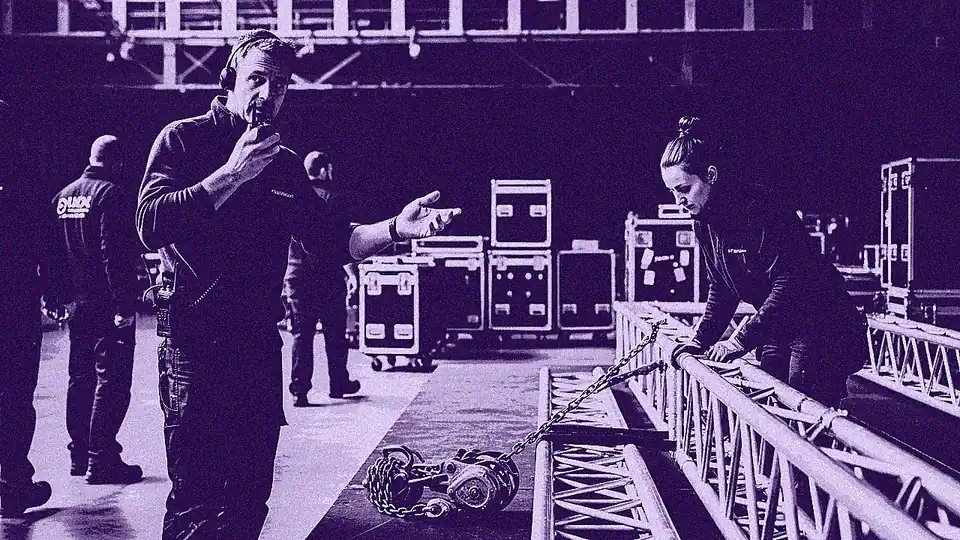
Festivals, concerts and corporate shows run to fixed public deadlines with large temporary teams. A production coordinator may roster dozens of technicians across a multi-stage build, track rented rigging and consoles, and keep vendors aligned to a load-in window measured in hours. Event operations platforms address this by combining crew scheduling, task assignment and real-time progress tracking through a mobile app, so a site manager can see completed work as it happens [4]. The margin for error is thin: an unfilled shift on show day cannot be recovered the next morning.
Film and TV productions
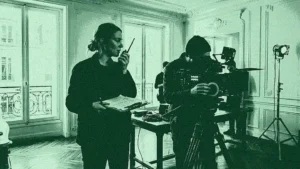
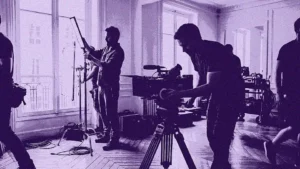
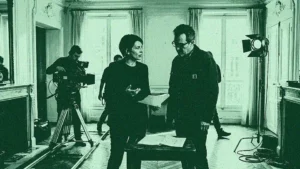
On set, scheduling connects the shooting schedule, the call sheet and crew availability. Assistant directors and line producers coordinate specialist roles whose availability shifts daily, and a change to one department’s call ripples through catering, transport and locations. Platforms built for film and TV centralise this so mission offers, availability and contracts sit in one interface rather than scattered across email. Productions that pair a structured call sheet with live scheduling cut the daily admin of chasing confirmations. Reducing that coordination overhead also trims wasted travel and idle equipment time, which lowers a production’s operational footprint.
Going further with TheGreenshot
Coordinating a live event or a shoot means keeping crew, gear and timeline in step under real deadlines, which is exactly where a purpose-built platform earns its place. Ooviiz, the crew planning and scheduling platform from TheGreenshot, centralises the talent database, checks availability in real time, sends mission offers directly and generates electronic contracts within a single interface. For teams moving between concurrent shows and shoots, that consolidation replaces the tangle of spreadsheets and forwarded messages with one shared source of truth. Production managers gain visibility across departments, coordinators reclaim hours of manual chasing, and freelance crews always work from the current schedule. Teams weighing how to bring their scheduling under control can explore how the platform adapts to the operational constraints of live production.
Our carbon experts help production studios frame strategy, train teams and track results, tailored to operational constraints.
Get a personalized demo of our tool!
What is production scheduling software for live events?
What features matter most for event scheduling?
How is scheduling software different for live events versus film?
How should a team choose a scheduling platform?